Google Forms approvals with no response limit
Most approval add-ons for Google Forms meter you: a free plan capped at a few dozen responses a month, then a yearly subscription. This template has no response cap, approvers decide from a link without a Google account, and the whole record stays in your own spreadsheet.
Where approval add-ons usually hurt
| Form Approvals for Google Forms (Birim) | Typical approval add-ons | |
|---|---|---|
| Responses per month | No cap, in the free edition too (only Google's daily email limits) | Free plans capped, for example 20 a month; paid plans priced by volume |
| At the limit | Nothing switches off | Some stop processing until the next month |
| Time until approvers are emailed | Under a minute in our test | One popular add-on's help says allow up to 2 hours |
| Access it asks for | This spreadsheet only, sending email, running on form submit | Often all your spreadsheets and forms, plus an external service |
| Approvers need a Google account | No | Varies |
| Email security scanners opening the link | Cannot decide: a person must press Approve or Request changes | Possible with one-click Approve links in the email |
| Response edited after approval | Earlier approvals stop counting | Rarely handled |
| Where the record lives | Your spreadsheet, and it stays if you stop using it | Often also on the vendor's service |
| Price | Free edition; full version £29 one-off | Usually a yearly subscription |
What it looks like
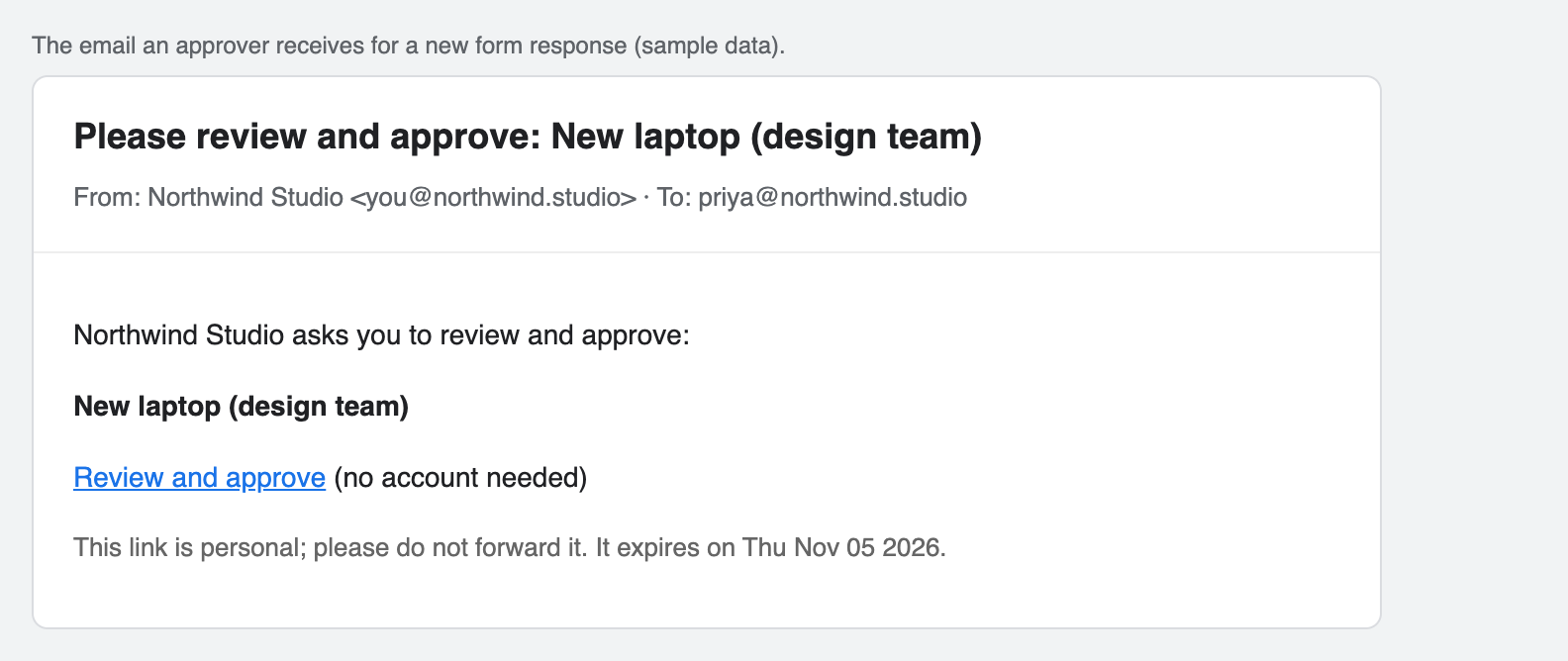
Each approver gets a personal, expiring link as soon as the form is submitted.
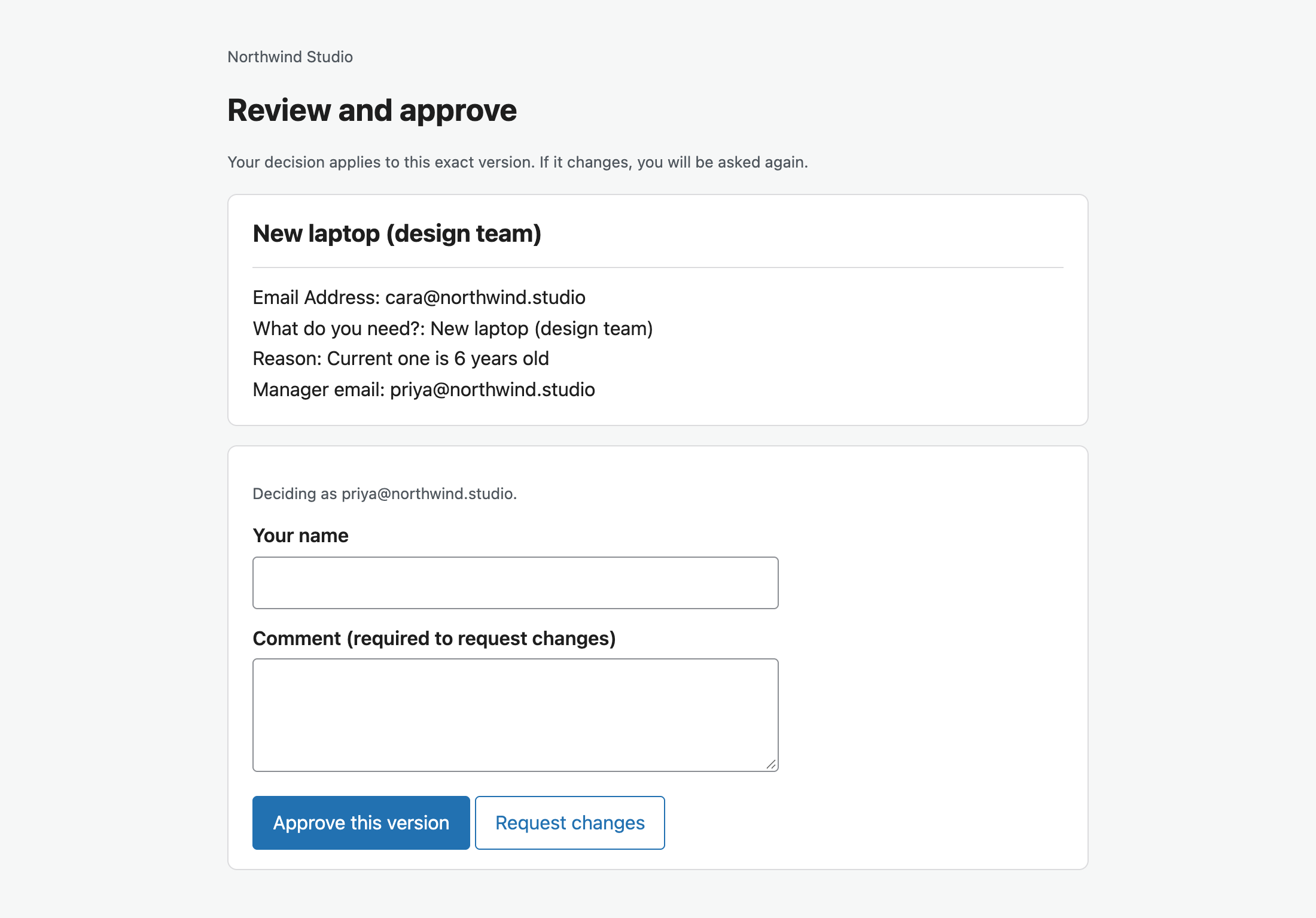
The approval page shows every answer. No account or sign-in needed.
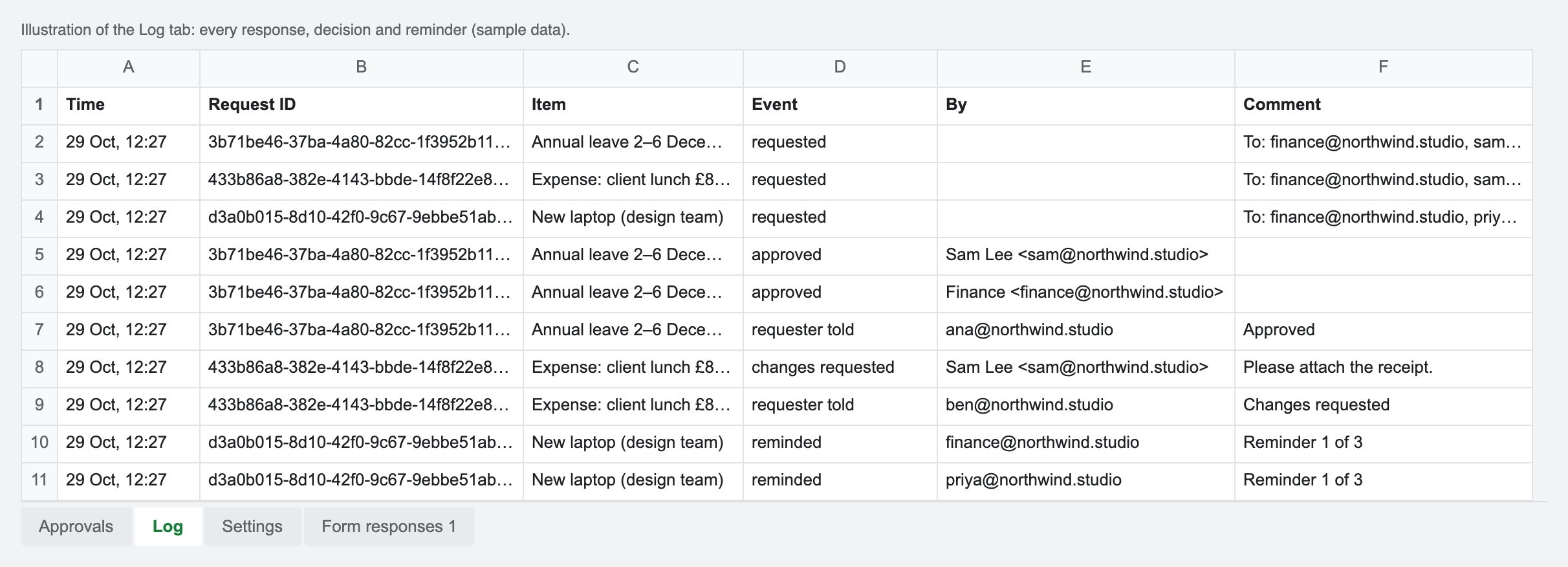
The log in your spreadsheet records who decided what, on which version, and when.
Set it up
- Make your copy of the template. Open the copy link, sign in to Google and click Make a copy.
- Link your form. In the form: Responses, Link to Sheets, Select existing spreadsheet, and choose your copy.
- Deploy the approval page. Extensions, Apps Script, Deploy, New deployment, Web app, Execute as Me, Who has access Anyone; paste the URL into Settings.
- Set the approvers. Enter the fixed approvers, or (full version) the question that holds the approver email, and choose All or Any.
- Connect the form. Choose Approvals, Connect a Google Form. Every new response is now sent for approval.
Free or full?
Free edition (make your copy, setup guide): every response goes to the approvers you list in Settings, with links that work without a Google account, approvals tied to the exact version, and a log. No cap on responses.
Full version (£29 Personal, £79 Business, one-off): adds the approver taken from a form answer, an email to the requester with the outcome and comments, and automatic reminders.
Questions
Is there really no limit on responses?
The template itself has no cap. Google limits how many emails a script can send per day: about 100 on free Gmail and 1,500 on Google Workspace. Each response sends one email per approver.
What happens to my approval history if I stop using it?
Nothing. Requests, decisions and the log are ordinary tabs in your spreadsheet. There is no outside service to lose access to.
Why does it ask for so little access?
The script runs inside your copy of the spreadsheet and asks only to read and change that spreadsheet, send email as you, and run when the form is submitted. It cannot open your other files.
Can an email security scanner approve a request by mistake?
No. Opening the link only shows the request. The decision is recorded when a person presses Approve or Request changes on the page.
How fast are approvers emailed?
In our test, the approval email was in the inbox less than a minute after the form was submitted. Timing depends on Google, but the script runs on the form-submit trigger, not on a schedule.
Honest limits
- Google's email limits apply: about 100 emails a day on free Gmail, 1,500 on Google Workspace.
- During setup Google shows an "unverified app" screen, because the script runs in your own copy rather than as a published add-on. The guide shows the two clicks to continue.
- Workspace admins can block public web pages; then people outside your organisation cannot open approval links.
- It is a sign-off record, not a legal electronic signature.
More: Form Approvals for Google Forms · Leave requests · Expense approval · Client sign-off · No response limit