Expense and purchase approval with Google Forms
Staff submit an expense or purchase request in a Google Form. It goes to their manager and to finance; both approve or request changes from a link, without a Google account. If something is missing, such as a receipt, the requester is told exactly what to fix.
Why this is usually painful
Expense claims arrive by form, then approval happens in email threads. Nobody is sure whether finance saw the final amount, and a claim edited after approval can slip through. Here each decision is tied to the exact version of the request: if the request changes, earlier approvals stop counting.
What it looks like

Your spreadsheet shows every request, its approvers and its status.
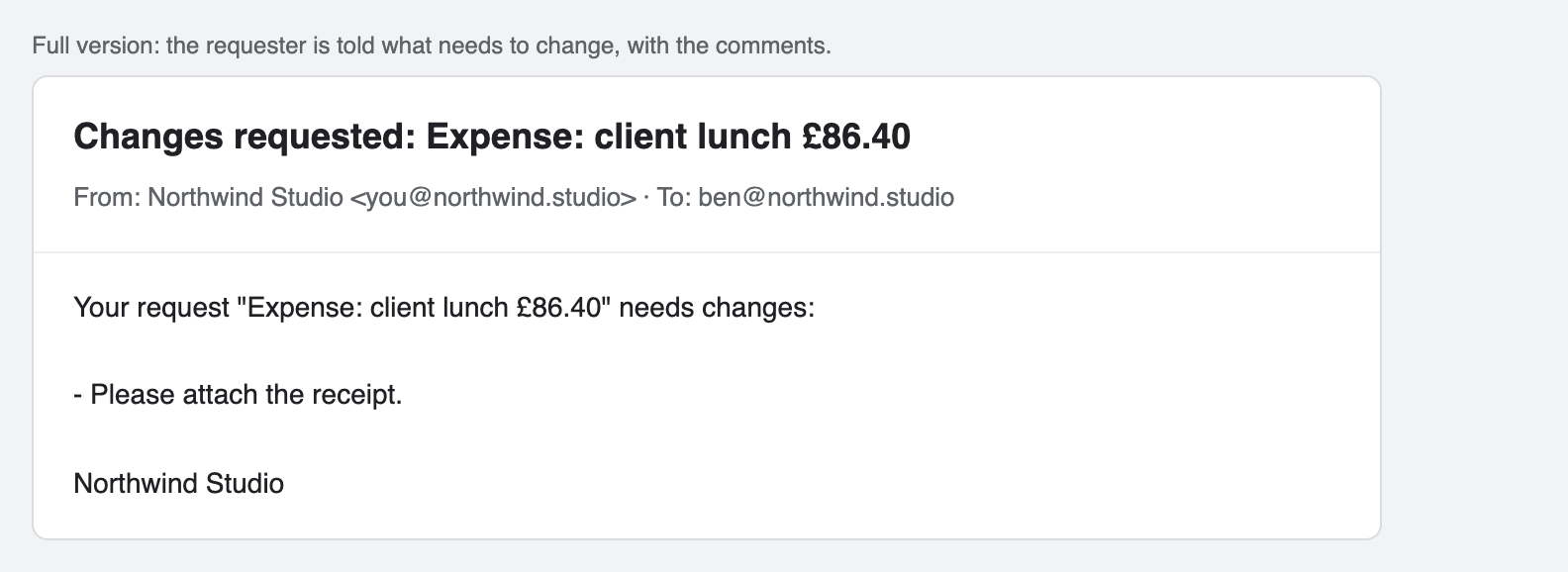
Full version: the requester is told what needs to change, with the comments.
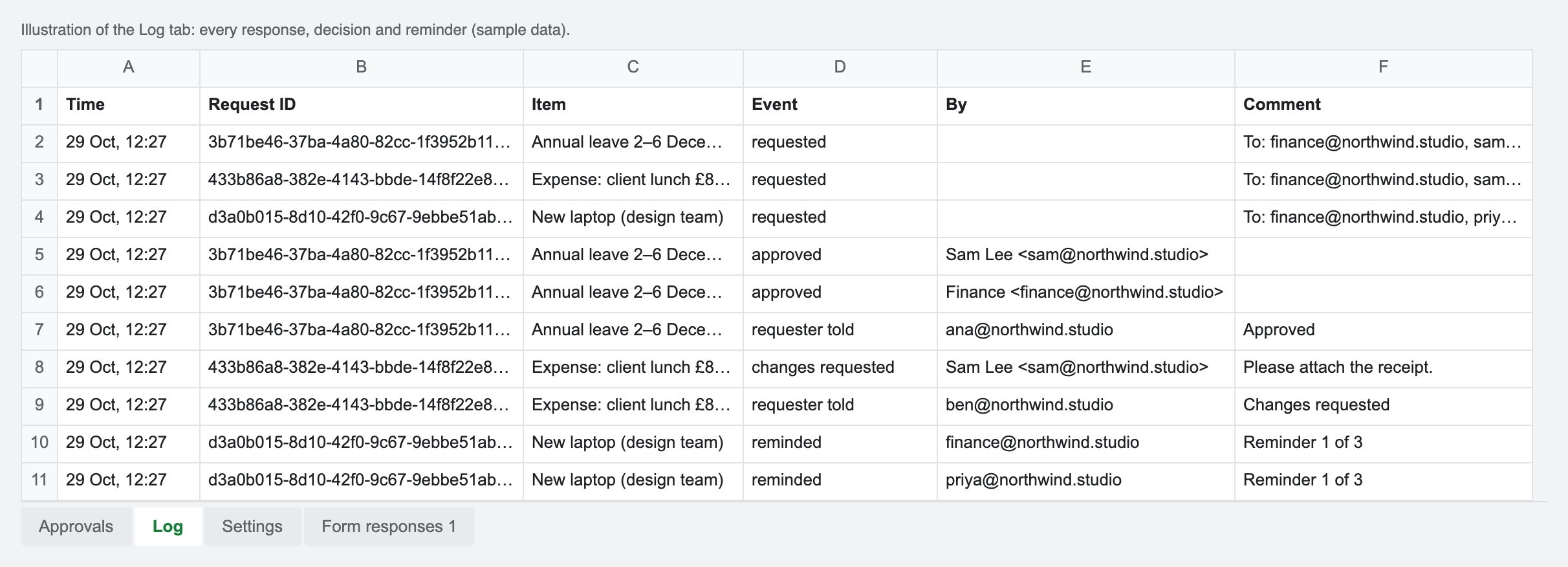
The log records who decided what, on which version, and when.
Set it up
- Make your copy of the template. Open the copy link, sign in to Google and click Make a copy.
- Link your expense form. In the form: Responses, Link to Sheets, Select existing spreadsheet, and choose your copy.
- Deploy the approval page. Extensions, Apps Script, Deploy, New deployment, Web app, Execute as Me, Who has access Anyone; paste the URL into Settings.
- Set the approvers. Enter finance as fixed approver, the manager question (full version), and the rule All so both must approve.
- Connect the form. Choose Approvals, Connect a Google Form. Every new claim is now sent for approval.
Free or full?
Free edition (make your copy, setup guide): every response goes to the approvers you list in Settings, with links that work without a Google account, approvals tied to the exact version, and a log. No cap on responses.
Full version (£29 Personal, £79 Business, one-off): adds the approver taken from a form answer, an email to the requester with the outcome and comments, and automatic reminders.
Questions
Can finance and the manager both have to approve?
Yes. Put finance in the fixed approvers, use a "Manager email" question for the manager (full version), and set the rule to All. Choose Any if one approval is enough.
Do approvers need access to the spreadsheet?
No. They only get a personal link to a simple page with the request's answers and two buttons: Approve, or Request changes with a comment.
What happens if a claim is changed after approval?
Each approval is tied to a fingerprint of the request. If the request is edited in the sheet, earlier approvals stop counting and the status goes back to Waiting.
Can people attach receipts?
A file upload question works, but uploaded files live in your Google Drive, so approvers outside your organisation may not be able to open them. A link to a shared receipt or a short description is the simplest option.
Will approvers be reminded?
In the full version, yes: approvers who have not decided are reminded automatically after the number of days you choose, up to three times.
Honest limits
- Google's email limits apply: about 100 emails a day on free Gmail, 1,500 on Google Workspace.
- During setup Google shows an "unverified app" screen, because the script runs in your own copy rather than as a published add-on. The guide shows the two clicks to continue.
- Workspace admins can block public web pages; then people outside your organisation cannot open approval links.
- It is a sign-off record, not a legal electronic signature.
More: Form Approvals for Google Forms · Leave requests · Expense approval · Client sign-off